MLClient+ features

Game, routine and control panel in one window

MLClient+ is an extended My Lands client. The game runs in a built-in browser, while 26 modules handle farming, construction, trading and scouting by your rules. Everything important is on the control panel, and dozens of accounts are gathered in ML Manager.

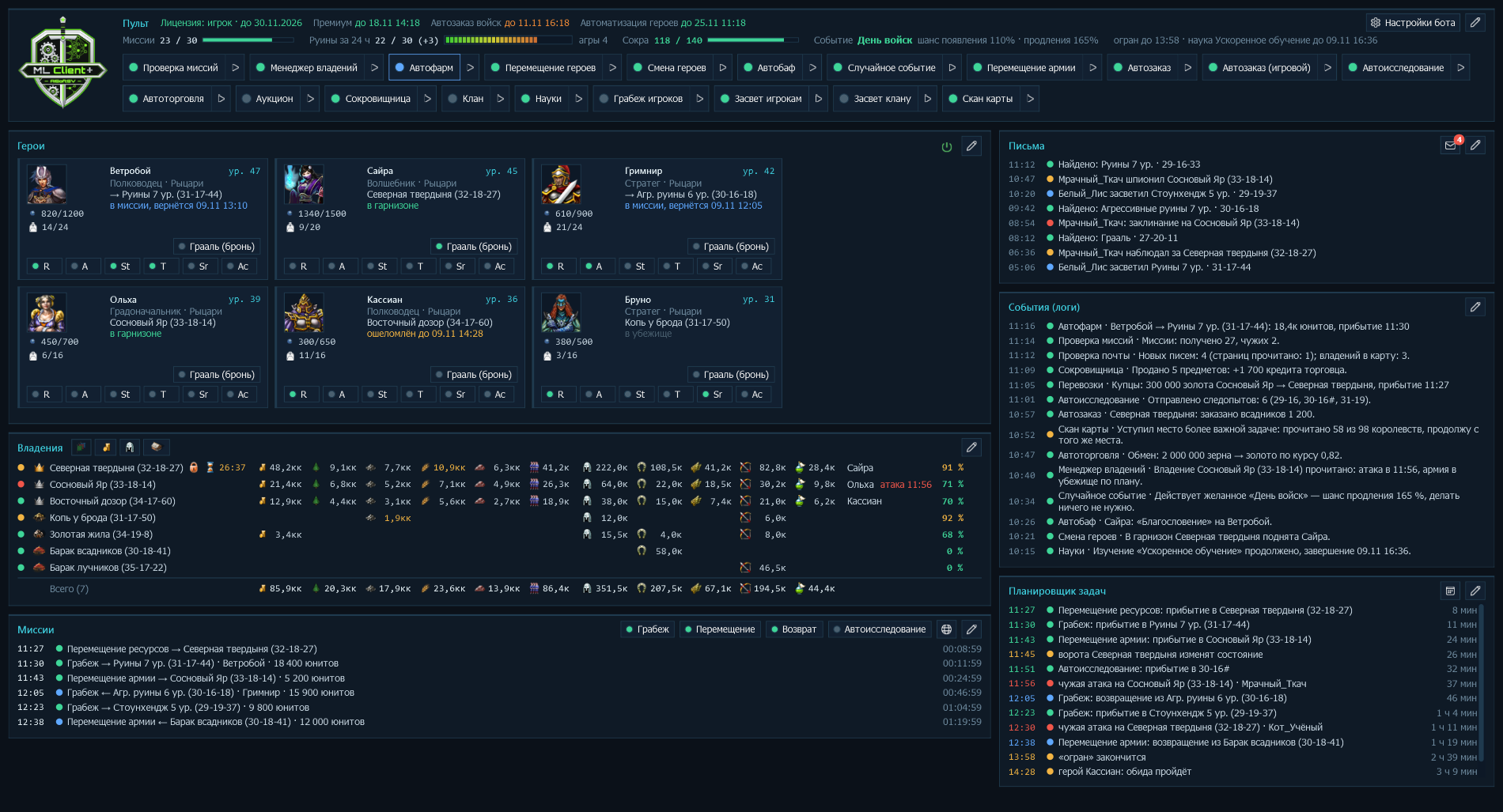
MLClient+ control panel: attacks, heroes, domains, missions and mail on one screen
Control panel: attacks, heroes, domains, missions and mail on one screen. The data in the screenshot is fictional.

What makes MLClient+ different

It's not just ruin farming. The client takes over what eats up hours in the game and shows what it did and why.

One control panel instead of a dozen tabs

Incoming attacks and spam in the top row, heroes with timers, domains, missions, mail and a daily ruins counter. Every card opens its own tab.

Helpers in the game windows

×1…×150 multipliers and templates in the transport window, protection against resources burning up during a sacrifice, coordinate labels on the map.

More than farming

Barracks capture by plan, the random event of the day, hero auto-buffs, Grail booking and a battle calculator checked against 270 real battles.

Statistics the game doesn't have

Transports, clan resources with a «принёс − выдано» (brought − given out) balance, trading, the auction with competitors, tournaments.

72 types of notifications

Three importance levels and quiet hours. In the client window, in Telegram (to several groups with filters), by email and with sound.

Dozens of accounts in one window

ML Manager launches and updates clients in order, shows a monitor of all accounts and runs the tournament.

What it looks like

Screenshots from the client. Click an image to open it in full size.

Game browser

Helpers right in the game windows

MLClient+ adds hints to the game's own windows, and you can still play manually.

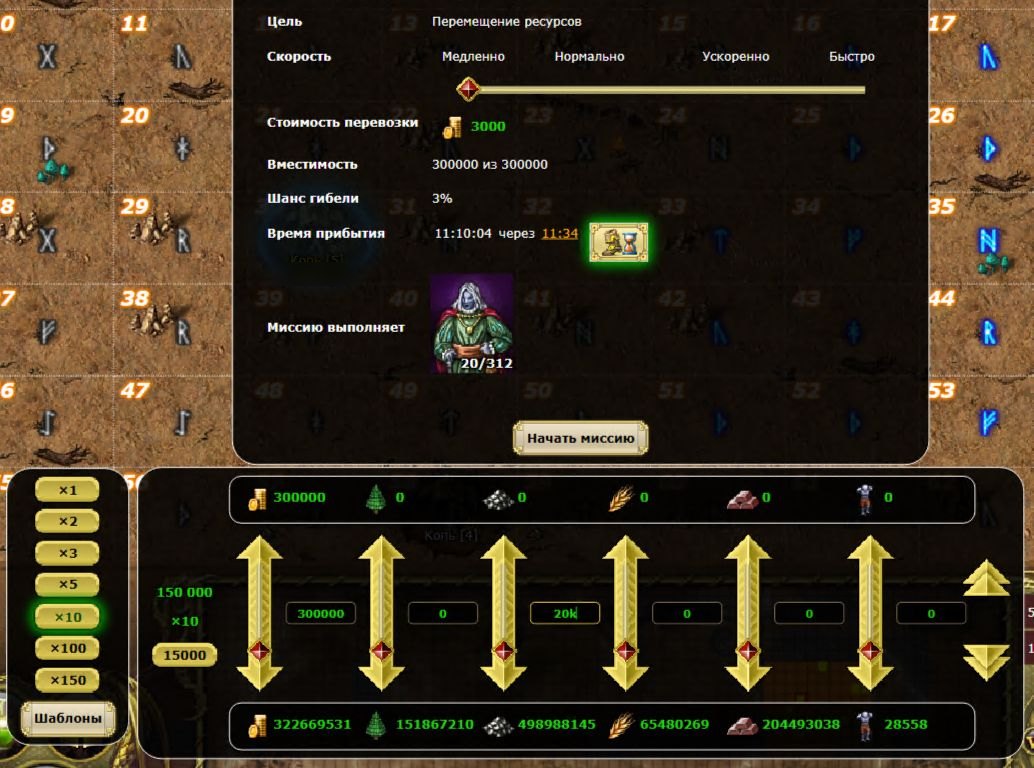
  • Transport: ×1…×150 step multipliers and cargo templates.
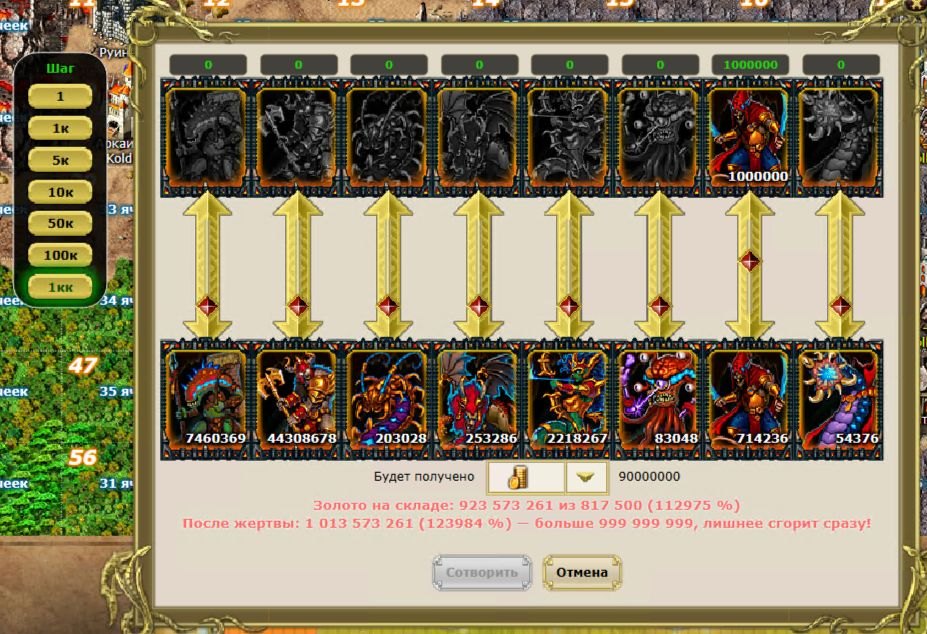
  • Sacrifice: how much of the resource will end up in storage. If the excess would burn up, the «Сотворить» (Cast) button won't go through.
  • Map: coordinate labels next to the cursor.
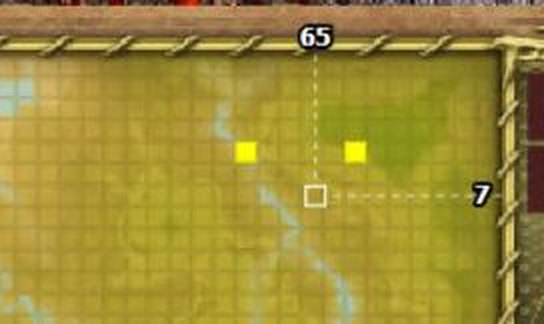
Coordinate labels on the game map
Coordinate labels
Transport window with step multipliers and templates
Transport: ×1…×150 and templates
Sacrifice with a warning about resources burning up
Sacrifice: nothing extra burns
Army

Barracks capture by plan

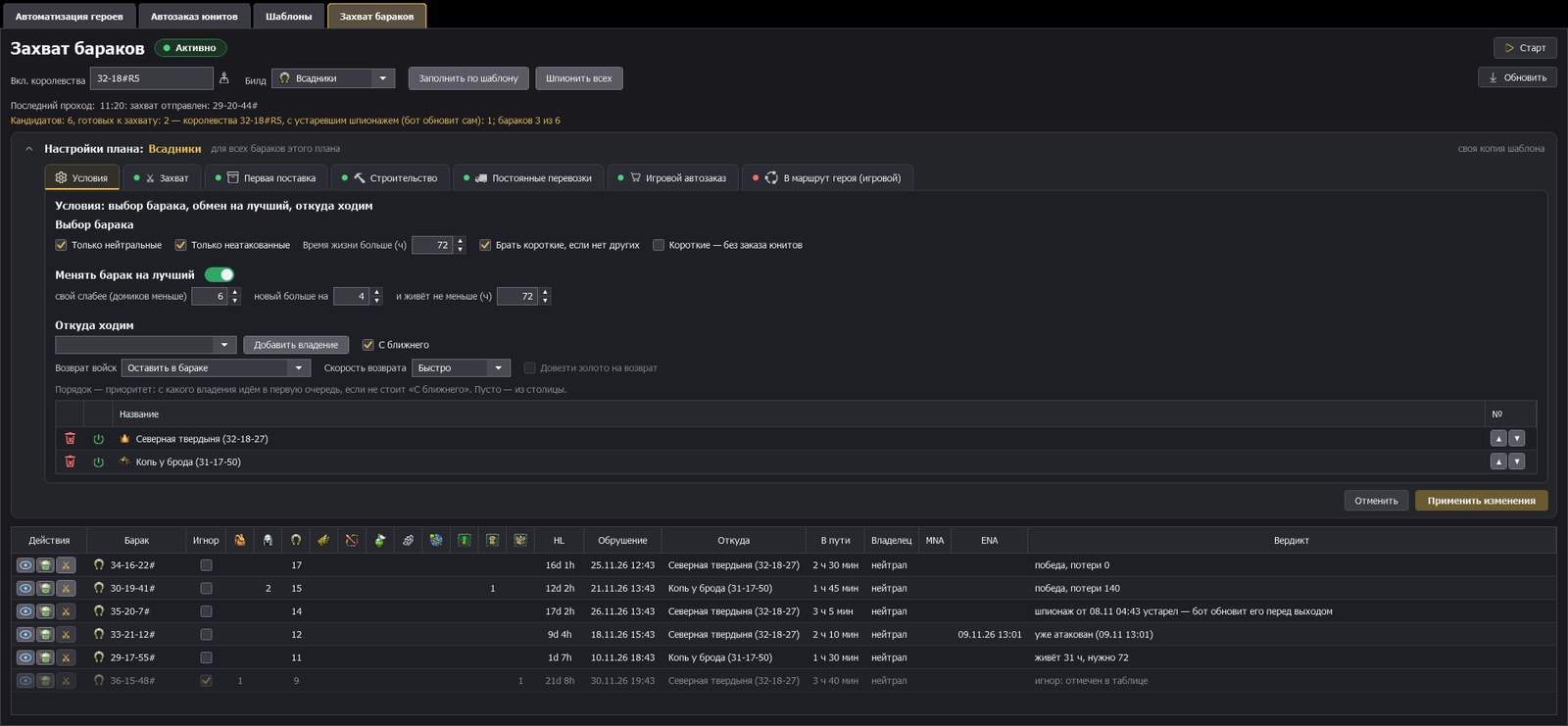
Picks barracks by your conditions: neutral only, no enemy attacks, enough lifetime left. Swaps your barracks for a better one and handles the capture, the first delivery, construction, transports and troop auto-ordering. Every barracks in the table gets a verdict.

Barracks capture: plan conditions and candidate table
Barracks capture: the «Всадники» (Cavalry) plan
Economy

Vault under control

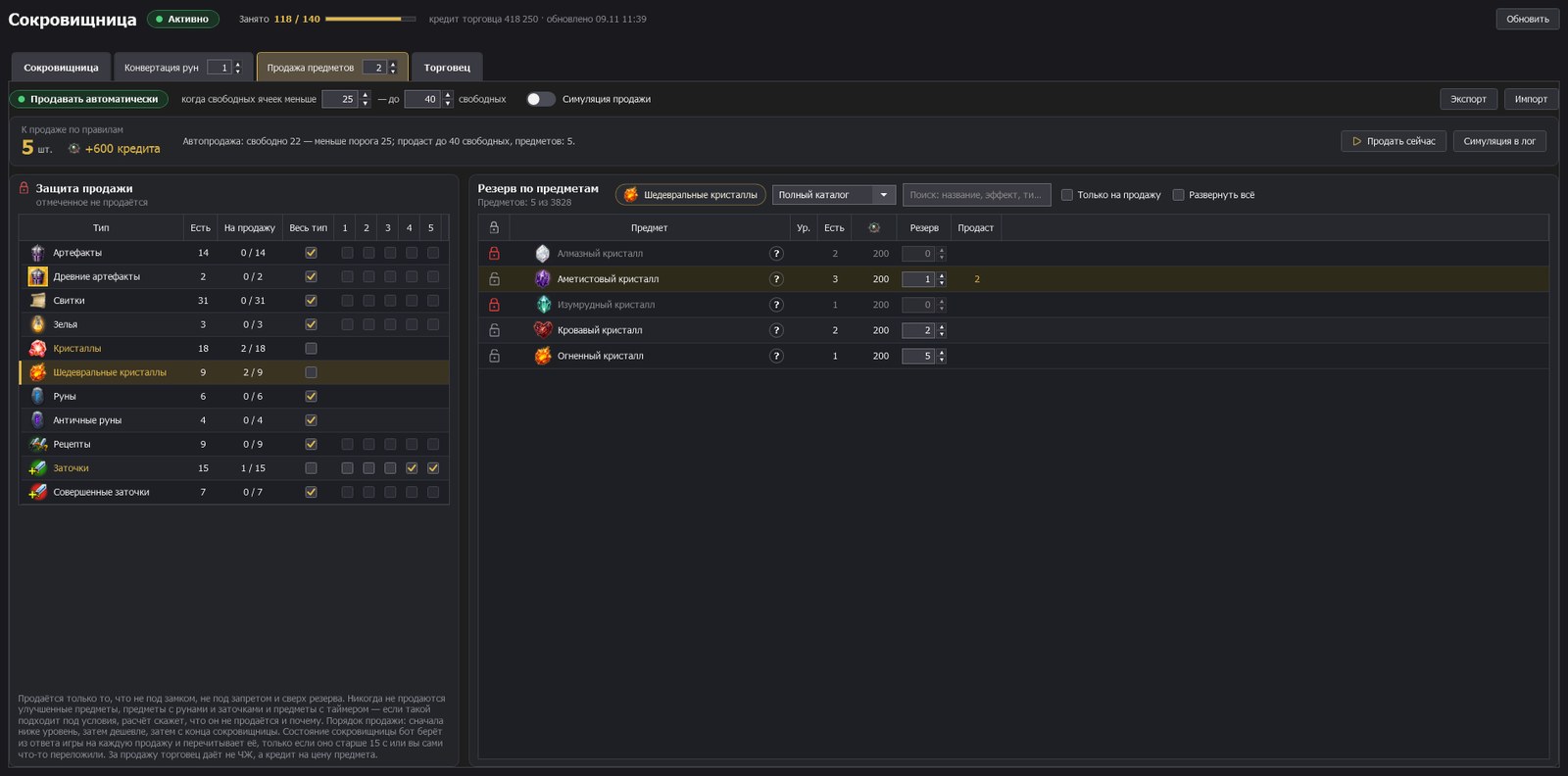
Selling by rules: protection by type and level, a reserve for each item, a free-slot threshold. Simulation runs first, so you see what will be sold and why. Alongside: rune conversion and buying from the Trader by wish list.

Vault: selling items with protection and reserve
Vault: selling items
Events

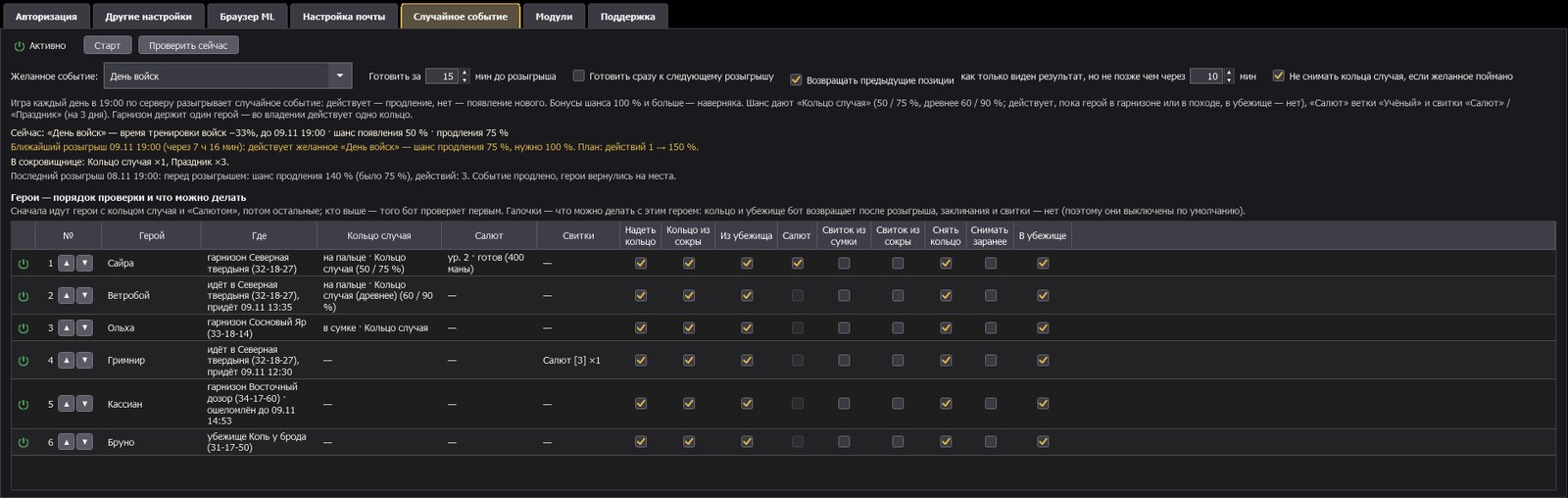
Random event of the day

Prepares heroes for the 19:00 draw: puts on Rings of Fortune, brings heroes out of the Sanctuary and, if you choose, uses «Салют» (Salute) and scrolls. Holds on to the event you want, resets an unwanted one, then returns the heroes to their places.

Random event: heroes, Rings of Fortune and odds
Random event: plan for the 19:00 draw
Development

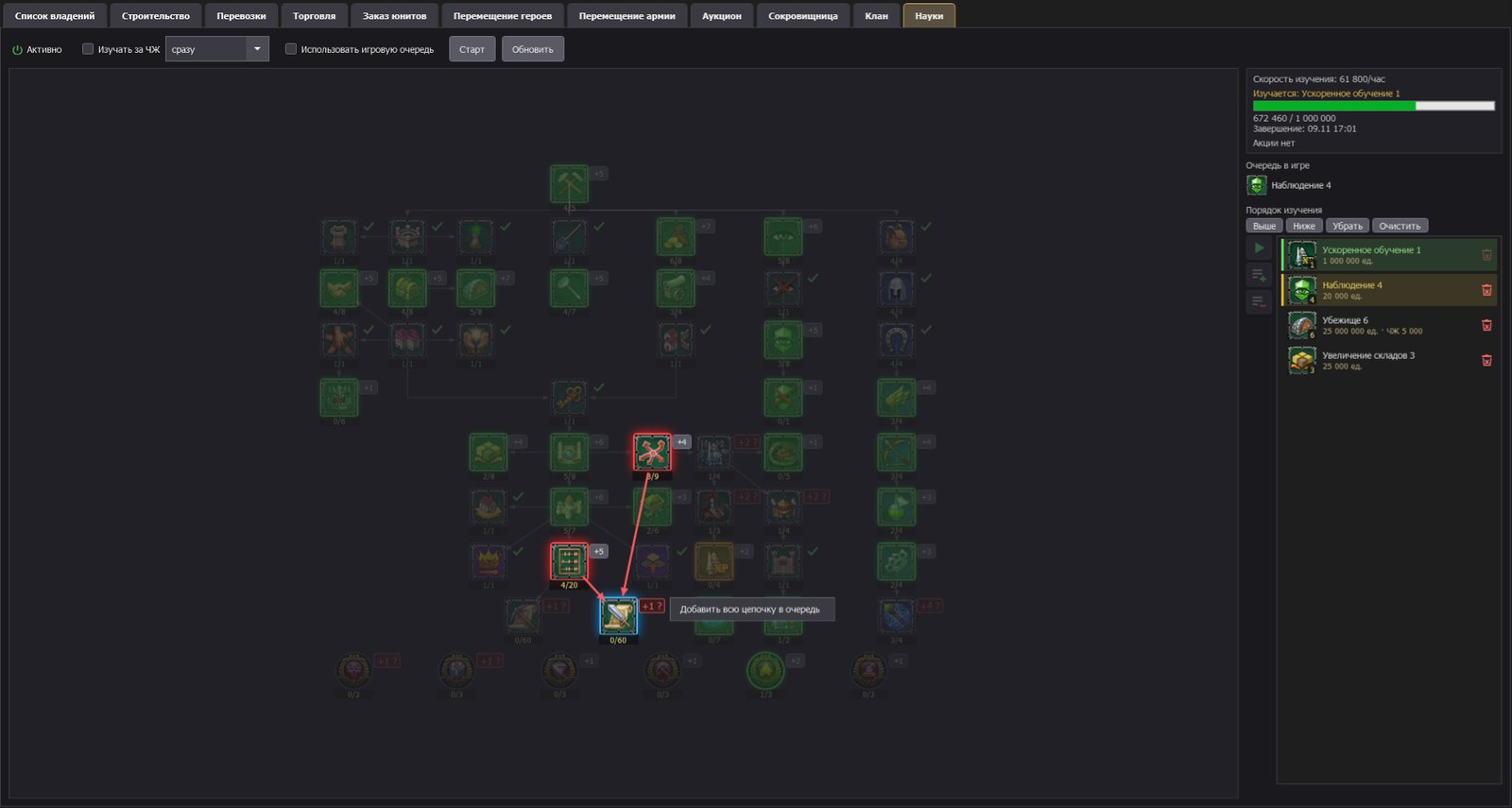
Research in chains

Pick the research you need, and the whole chain leading to it is queued in one click. Research goes in order, with or without Black Gems.

Research tree with a chain added to the queue
Research: «Добавить всю цепочку в очередь» (Add the whole chain to the queue)
Construction

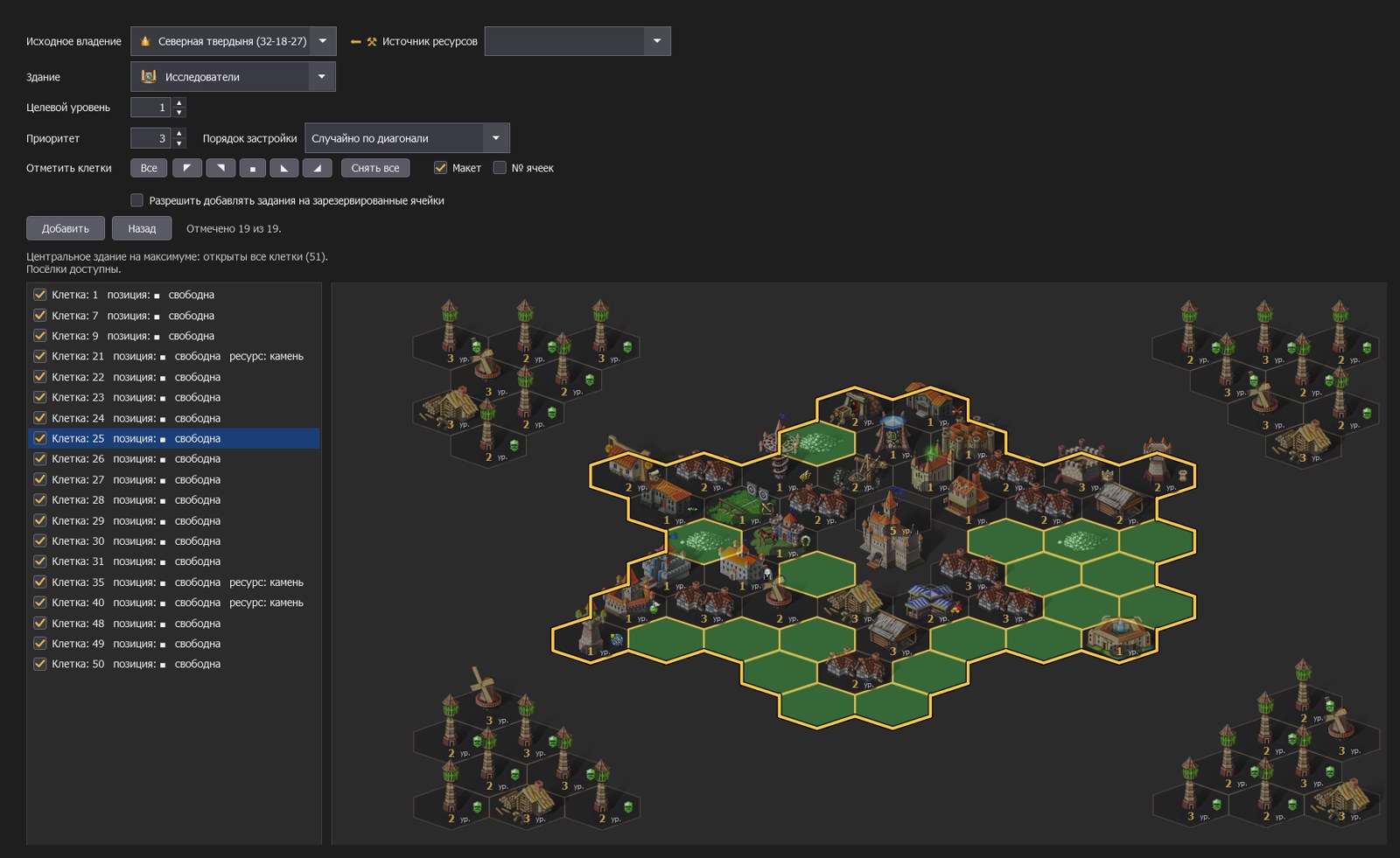
Building by domain layout

Mark cells on the layout and set the building, level, priority and build order. The client can bring in resources from another domain.

Construction by domain layout
Construction: cells on the layout
Calculations

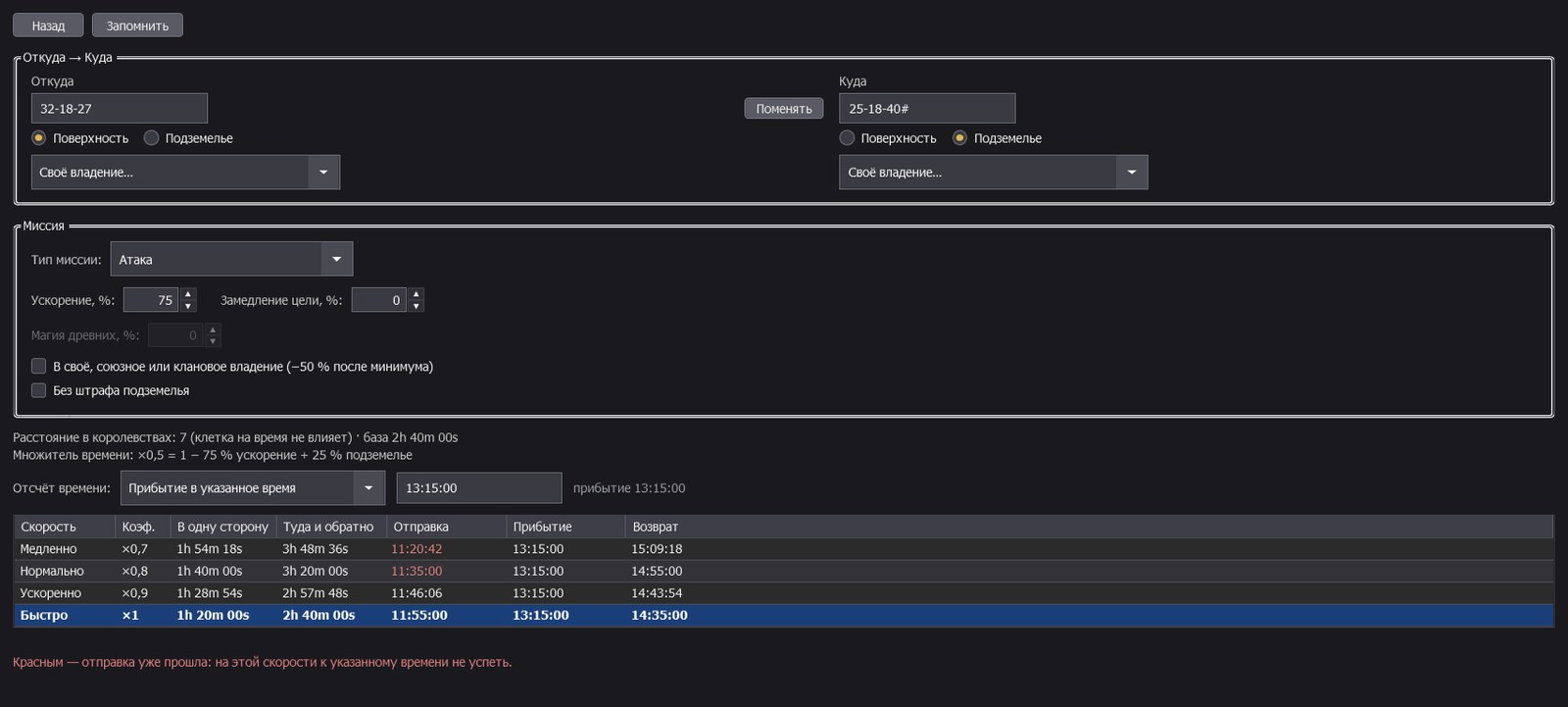
Speed calculator

March time at every speed by the game's formula: acceleration, underground, target slowdown. Set the arrival time and see when to send.

Speed calculator: sending for a set arrival time
Speed calculator: arrival at exactly 13:15
Tournaments

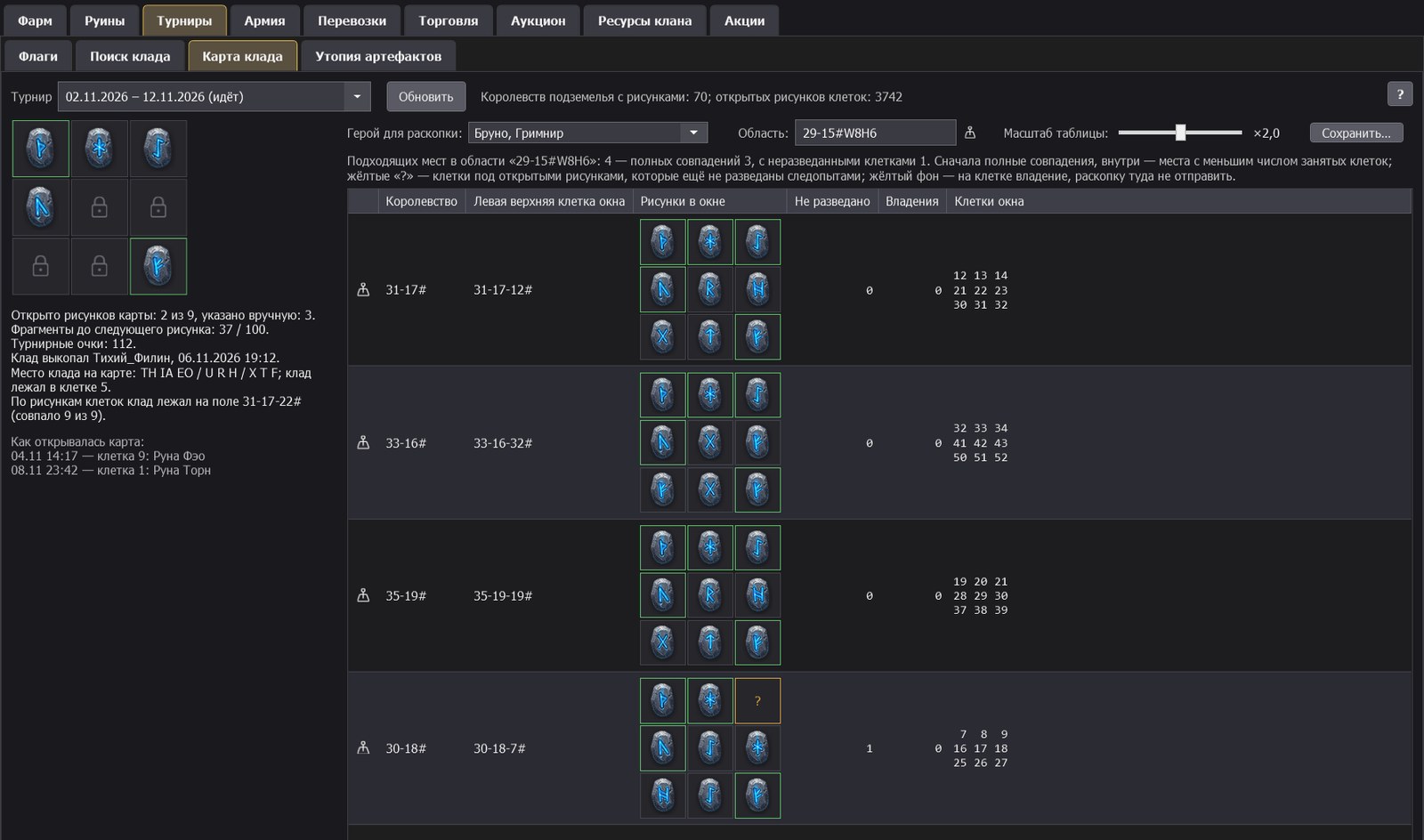
Treasure map

In the «Поиск клада» (Treasure Hunt) tournament, it uses the revealed drawings to find matching spots underground and shows the cells Explorers haven't visited yet.

Treasure map: matching windows by drawings
Treasure map: matches by drawings

Safe by default

The account stays yours. The client does only what you've turned on and records it in the log.

Your password stays with you

Game and proxy passwords and the Telegram token are stored encrypted with this computer's key. The password goes only to the game portal when you log in.

No hidden commands

Neither in-game mail nor someone else's server can control the client. Everything it does is visible in «Логи» (Logs).

Signed updates

Every release is signed. The signature and checksum are verified before installation, so a tampered file won't install.

Simulation first

By default, selling, rune conversion and buying from the Trader only calculate and log what they would do. You turn them on yourself once you've checked.

Like a real player

Requests to the game go in the same order as when you play manually. No screen reading and no mouse emulation.

Support close at hand

A support request with logs is sent with one button from the client, and the answer comes in the group. Updates are released several times a week.

Getting started

Sign up — your nickname on the site is your nickname in MLClient+.
Set up service in your Account: enter your game nickname.
Install ML Manager and run it.

Step-by-step instructions are in the installation guide →

Try MLClient+ on your own accountSigning up takes a minute, and service is set up in your Account. Ask questions in the Telegram support group, where you'll also find news and updates.